How to Protect Your Tech from Humidity and Monsoon Rain
Let's get one thing straight: humidity doesn't just mess with your hair. It's a silent, creeping murderer of your laptop, phone, and camera. You don't need to drop things in a puddle for disaster. That muggy, sticky air? It's full of water vapor that loves to sneak into tiny ports, condense on cold circuits, and turn your motherboard into a science project. Corrosion. Short circuits. The dreaded "foggy" lens. This isn't a maybe. It's a guarantee if you ignore it.
Your First Line of Defense: The Almighty Dry Bag
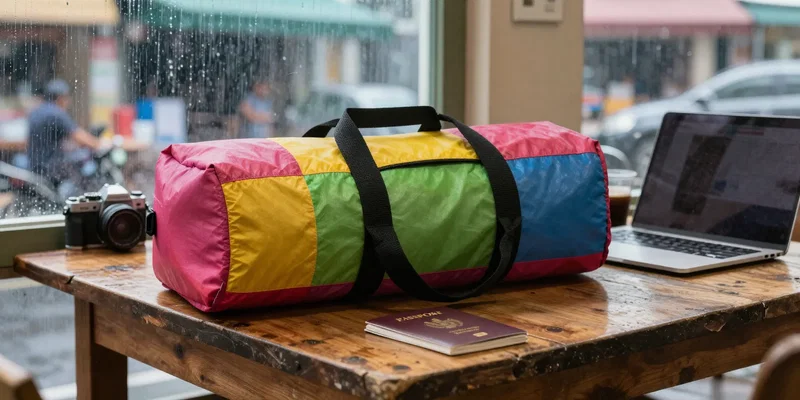
Forget fancy gadgets for a second. The single most important piece of monsoon season gear is stupidly simple: a dry bag. Not a "water-resistant" backpack. A proper, roll-top dry bag you'd take white-water rafting. Throw your tech in there. Roll it down three times. Clip it shut. Suddenly, that torrential downpour you're caught in is just background noise. It's cheap, it's foolproof, and it’s the difference between a working laptop and a very expensive paperweight. Just get one.
Laptop Care When the Air Feels Like Soup

Laptops hate stagnant, wet air. Here's the thing: never leave it in a sealed backpack after you've been out in the humidity. The trapped air inside is a swamp. When you get to your room, take it out. Prop it up on something—a book, a stand—so air can flow underneath. If you're settling in for a few weeks, consider a tiny USB dehumidifier for your room. They're cheap and suck that moisture right out of the air. Also, for the love of all things good, never power on a device if you *suspect* it's wet inside. Patience. Let it dry for 48 hours. Seriously.
Phone & Camera Tricks They Don't Tell You
Your pockets are a death trap in the monsoon. A small zip-lock bag is your phone's best friend when you're out. Sounds low-rent. Works perfectly. For cameras, silica gel packets are magic. Toss a few of those (the "Do Not Eat" kind) in your camera bag. They absorb ambient moisture. And that "weather-sealed" lens? It's better than nothing, but don't test its limits. Wipe everything down with a *dry* microfiber cloth before storing it. No excuses.
Travel & Mindset for the Soaked Season
Packing smart is half the battle. All your cords, hard drives, and adapters? Each goes in its own little zip-lock. Double-bagging isn't paranoid; it's standard procedure. Check your accommodation reviews for words like "damp" or "musty" – that's a hard no. And mentally, just accept it. Your plans will get rained out. Your bus might flood. Roll with it. The goal isn't to stay dry (impossible), it's to keep your digital life dry enough to work tomorrow.
When Disaster Strikes: The Quick Fix
Okay. You screwed up. The phone took a dive. First: power it OFF immediately. Don't shake it. Wipe it. Now, the old rice trick? It's mediocre. It's slow. Better option: silica gel packets. Bury the device in a sealed container full of them. If you're really prepared, you bought some of those "do not eat" desiccant packs online for this exact moment. Leave it for two days. Then pray. Sometimes you get lucky. Sometimes you learn a $700 lesson.